Stage 1 · Topic and facts
AI researches your topic and comes back with three topic cards and a fact ledger, with a source for every number, name and date.
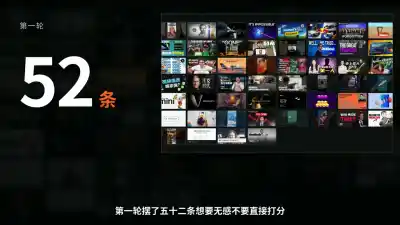
Round-one wall: 52 candidates1Rating page
Two rounds: 79 ratings2Rating log
Final pick: the dark version3Style trial page
The steps
1a
Topic cards · gate
Where:Browser or Mac appWhat AI doesResearches against your channel brief and proposes three topic cards: the angle, the opening hook and the question the video answers.
What you doApprove one. If none fits, say what's wrong and it tries again.
1b
Fact ledger
Where:Browser or Mac appWhat AI doesLists every number, name and date the video will use, each with a source link and a screenshot.
What you doCheck each entry against its source and flag anything wrong in the chat.
Gates
This stage has one gate: Topic cards. Only you can approve a gate, and the next step waits until you do.
Tips
- If no topic card fits, say why — "too broad", "weak hook" — and it drafts new ones.
- Open the source of every fact-ledger entry; if a number doesn't match, flag it in the chat.
- Changing the topic after approving it restarts the steps that follow.